

This plugin helps you translate your website into 104 different languages in just seconds. Simply by installing and activating this plugin, your website will be automatically translated for visitors from all over the world.
Here’s an example of the translate button:
I customized the container of the shortcode a little bit so it looks nicer than the default design. If you want this design, you can have it from the button below (Elementor .JSON):
And here’s the setting for the button layout:
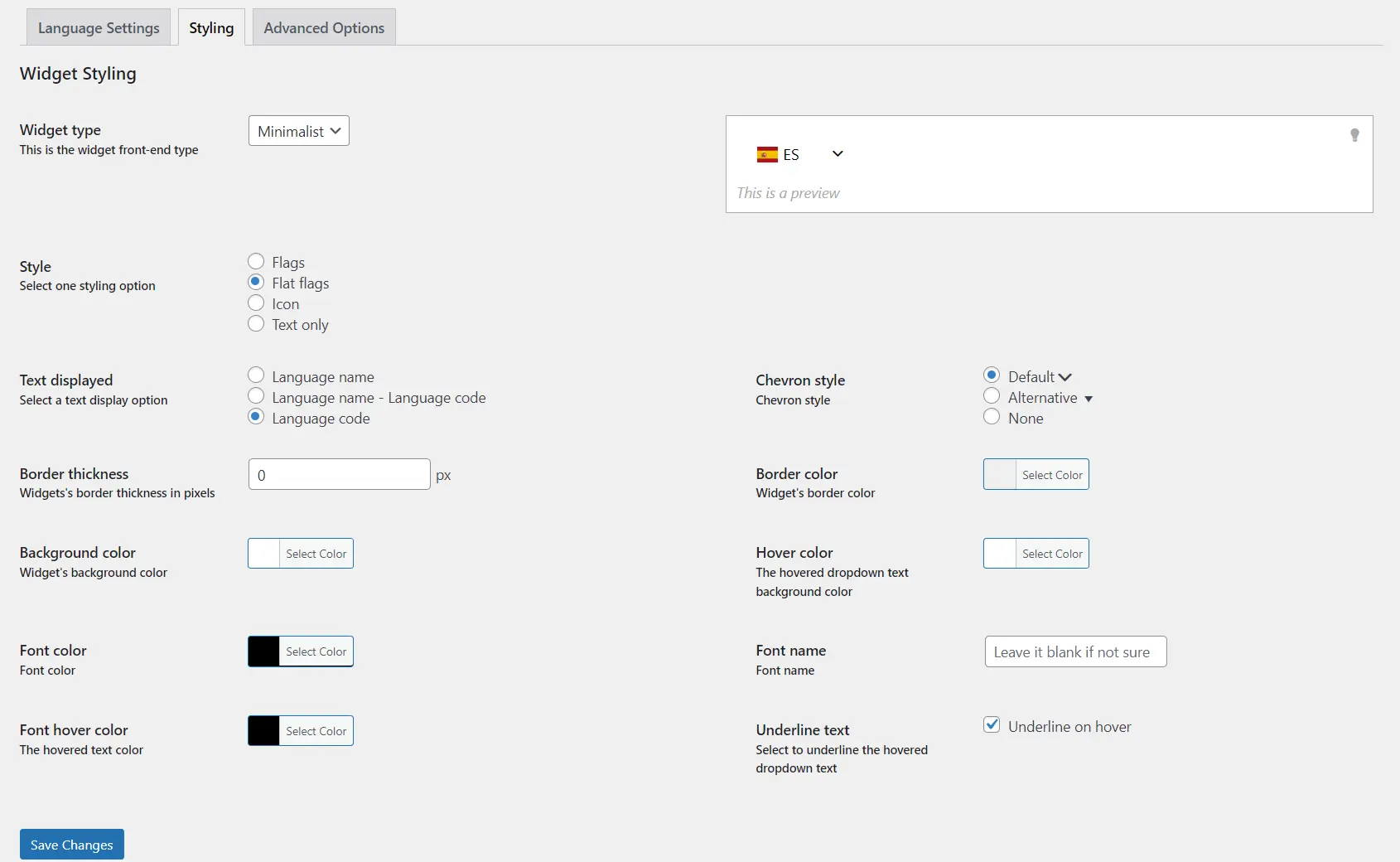
This plugin is powered by a trusted translation engine, namely Google Translate. So, no need to worry about unprofessional translation quality. You just need to take advantage of this best automatic translation machine.
However, sometimes Google pop-ups can be quite annoying, right? So, for that reason, I also want to give you a way to disable Google pop-ups in your CSS.
Disable Google Translate Pop-ups:
/* Translation: Disable Google Popups */
.VIpgJd-ZVi9od-ORHb-OEVmcd {
display: none !important;
}
.VIpgJd-ZVi9od-aZ2wEe-OiiCO-ti6hGc {
opacity: 0 !important;
}
.VIpgJd-ZVi9od-aZ2wEe {
display: none !important;
}
With this quick adjustment, Google pop-ups will be disabled and will no longer interfere with your browsing experience.
Hope these tips help! Good luck and may luck always accompany you!